ON/OFF Operation
To turn ON marker momentarily press the ON/OFF button.
To turn OFF marker press and hold the ON/OFF button.
LCD screen will show:
(Turning)
(OFF)
After 1 second LCD screen will go blank. Now release the ON/OFF button. Marker is now OFF.
Liquid Crystal Displasy (LCD)
When the gun is on, the LCD will display codes representing the status of the marker. The codes are as follows on the 2nd line of the LCD screen.
· (F__): Standard operation: Force mode
· (D__): Standard operation: Delay Mode
· (S__): Standard operation: Dry fire (simulate) mode
· (*__): Marker limited to 12BPS; Eye sensor malfunction
· (_C_): Competition mode ON.
· (__B): Indicates battery is low.
Mode Selection
The LCD is a two-button membrane, backlit, and menu driven system. To bring up menu options for the gun, hold down both buttons until backlight illuminates (approx. 1 second). Upon release you will be placed in the first menu. The 1st button scrolls through the available menus. The 2nd button is for entering a selected menu. Once inside of a given menu, the 1st button increments through settings. The 2nd button is used to save the setting and exit out of the menu. Below are the definitions for the menus:
· DWELL: Determines how long the bolt stays forward before repeating cycle.
· EYE: Activates or deactivates the eye sensor with options.
1 Force: Marker fires only when ball is present at time of trigger pull.
2 Delay: Marker fires when ball is present at time of trigger pull or if ball not present waits 1 sec. to fire.
3 Dry Fire: Marker fires at time of trigger pull. Eye sensor deactivated.
· BIP: Ball in Place: Determines how long after trigger pull and eye sensor recognition will the marker begin to fire. Setting to low can cause ball breakage.
· Bolt Delay: Time eye sensor is ignored. This time allows bolt to move forward. Setting too low can cause marker to dry fire.
· TIMER: Determines game timer setting.
· DEBOUNCE: Determines time (milliseconds) after trigger pulls which further trigger activity is ignored.
Eye setting can be changed to dry fire mode without entering the menu. With marker off, hold the trigger in and turn on marker. Keep trigger pulled until the LCD goes to its normal screen and "S" is on the bottom left of the screen, now release trigger. This will put the marker into dry fire mode with the eye sensor turned off. This function is disabled with competition mode.
Timer
The count down timer will begin after pressing button 1. The timer will stop after repressing button 1. Pressing button 2 will reset the timer.
Shot Counter
Counter will increment after each shot. Pressing button 2 will reset the counter.
Competition Mode
With competition mode ON the dwell and debounce setting are not accessible through the menu. Also the trigger activated dry fire mode is deactivated. The display window of the LCD will show "C" on the 2nd line of the screen in competition mode.
To activate competition mode:
] Turn off marker
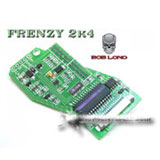
2 Open up grip frame to gain access to the circuit board.
3 Short out D and C holes on the top of the board. Paper clips work well for this. Bend the clip so that one end is touching the D and hte other end is touching the C.
4 Turn marker ON. The display window will show "Comp On" then in the normal window the display will show "C"
5 Turn marker OFF
6 Disconnect the D and C short
7 Leave off for at least 30 seconds
8 Reassemble grip
9 Ready to use with competition mode